Continuations must be created off of an existing award. To create a continuation, you must be logged in as a user with an edit role to the related funding proposal.
How to Create a Continuation
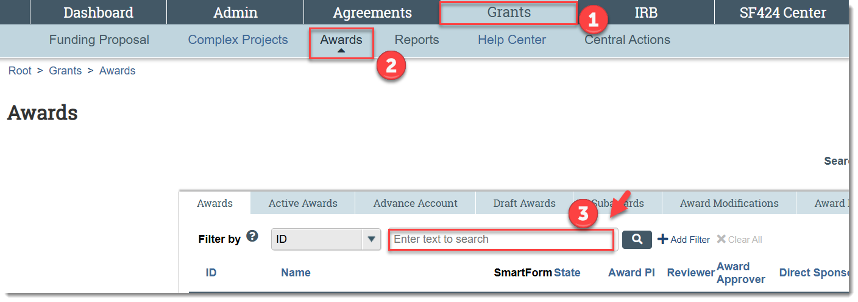
Find the active award that you need to process a Continuation. You can do this by:
- Click Grants
- Click Awards
- Searching by the award ID
or
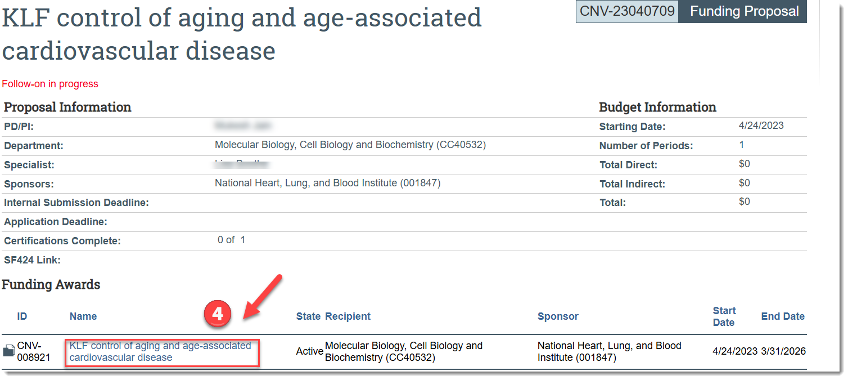
- From the related Funding Proposal, click the name of the active award for which continuation funding is needed
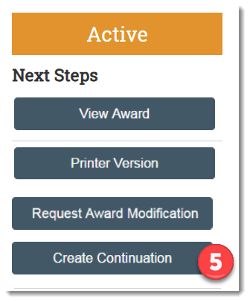
- Click Create Continuation
- A new Continuation smart form will open for editing.
- The system gives it a default name composed of the award name suffixed with the word, “Continuation,” but it can be modified.
- Enter the information requested on each page and click Continue

- On the final page, click Finish

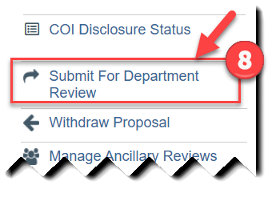
- To submit a Continuation for department review, click Submit for Department Review
The continuation proposal goes through the same approval and submission steps as any other funding proposal.
Further job aids and Huron resources are available to the research community on the Huron training page of the Division of Research website.