System Guides
Learn how to submit an Institutional Profile request.
To submit an Institutional Profile request, submit a support ticket and include the following required information:
- Request Title – Enter ‘Institutional Profile – Name of Institutional Profile’
- Request Type: Support: Huron technical error (NOT for access request)
- Name will default to requestor name
- Email will default to the requestor email
- Phone Number - Enter requestor phone number
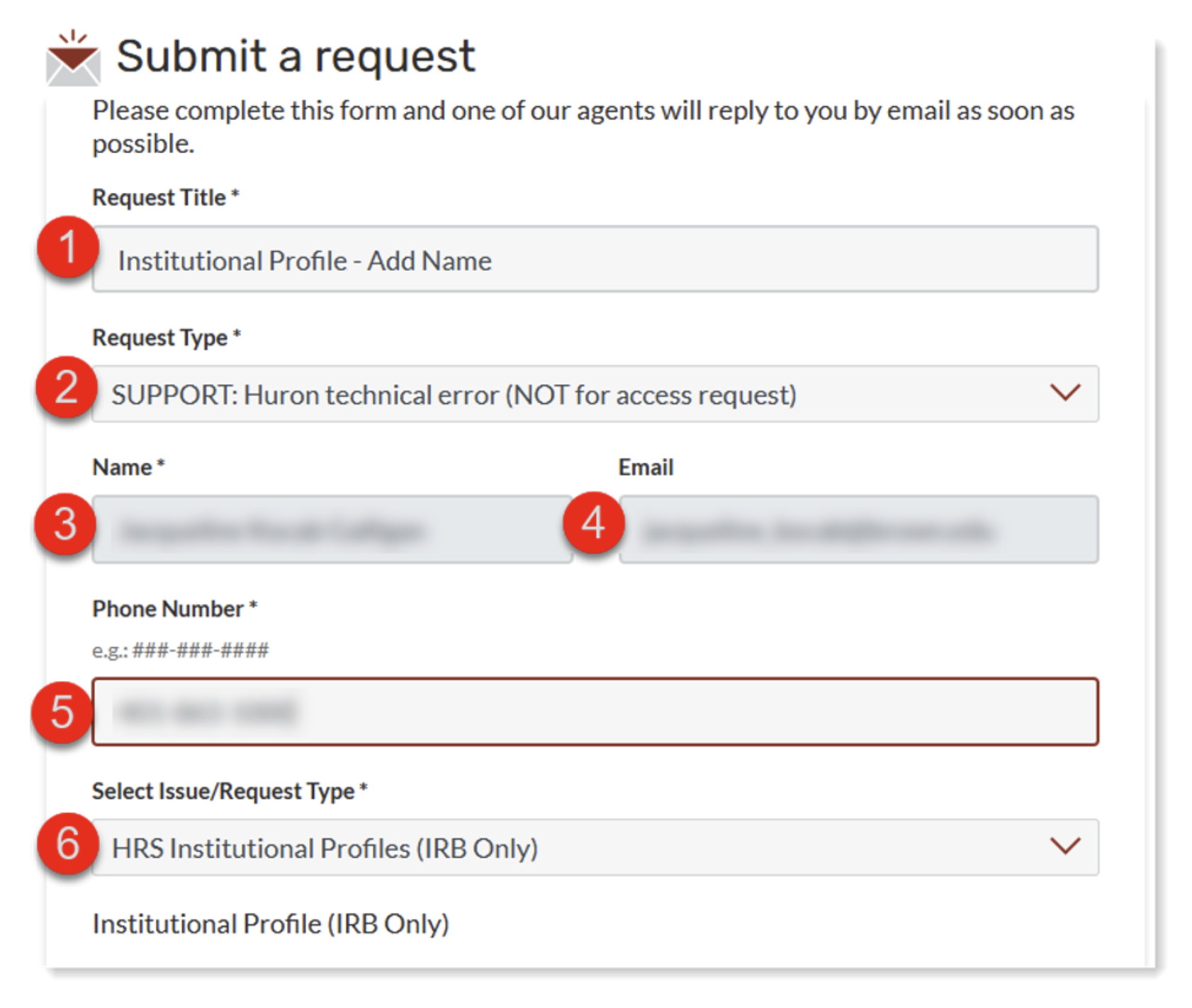
Select Issue/Request Type – Select HRS Institutional Profiles (IRB Only)
In the Institutional Profile Information section enter:
- Site Full Name
- *Federalwide Assurance (FWA) Number
- *IRB Number (unique registration number assigned by the Office for Human Research Protections; OHRP)
- Official Full Address
- *Quality Control Mechanism (e.g., AAHPP)
- IRB Contact Full Name, if applicable to be added
- IRB Contact Email, needed if IRB Contact is to be created
- Collaborating PI Full Name, if applicable to be added
- Collaborating PI Email, needed if Collaborating PI is to be created
- Collaborating PI Phone Number, optional
- Message – include any additional information (e.g., Site URL)
*Items that Brown University’s Human Research Protection Program (HRPP) will complete.
Huron Institutional Profile requests require full information to process your request. If you are requesting a Site, include all information for the site fields, unless otherwise noted. If this is for including a Collaborating PI or IRB Contact, make sure to include all information for both or either field that is needed.
Omitting information may cause the request ticket to be returned for further information. Requests are processed within 1-2 business days.