The Select Organization slide-in window will appear throughout the submission record for various fields. It will display various IDs and organizations available for selection.
When selecting sponsors, it is critical that users select the correct sponsor organization. Failure to select the correct sponsor may result in proposals being rejected, causing delays in securing funding impacting project timelines. Moreover, selecting the incorrect sponsor will have an impact on Sponsored Projects Reporting at Brown.
To select the correct sponsor:
- From the Select Organization slide-in window, choose an organization that has an ID consisting of six numerical digits (e.g., 002980); or
- Use the “Filter By” option to directly search for the desired sponsor if you have the ID or name of the organization
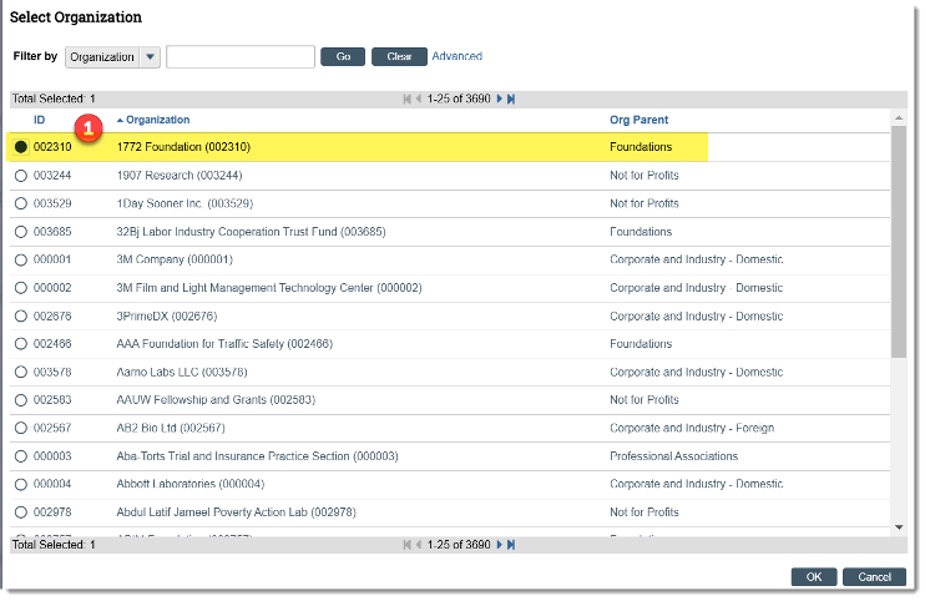
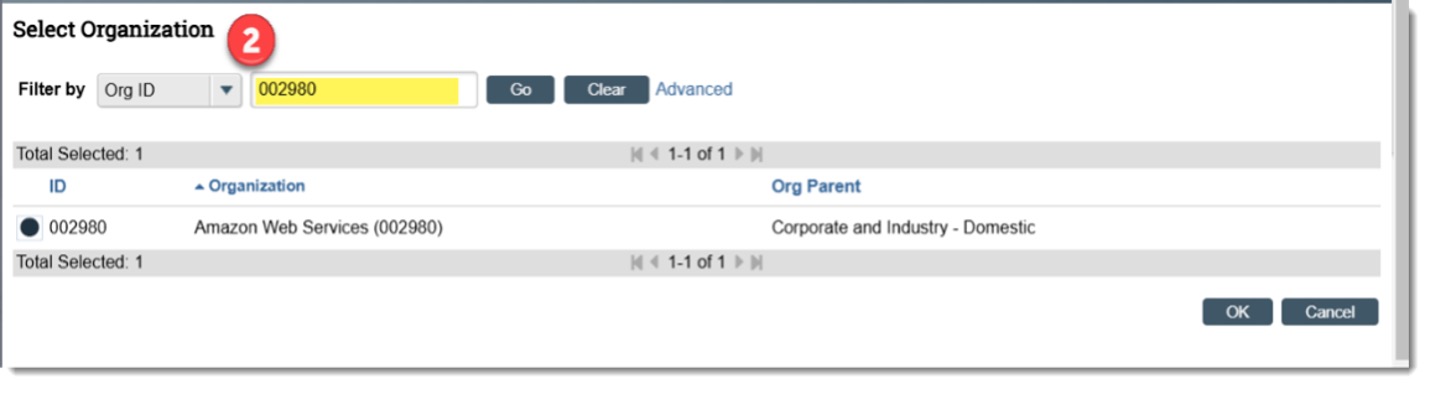
How to choose the correct sponsor
When selecting the sponsor from the organization list, it is important that the correct sponsor is selected.
- The Organization ID and Organization name will include the Sponsor number (SPON-XXXX)
- The Org. Parent column should read as one of the following: Foundations, Not for Profit, Corporate and Industry Domestic, Corporate and Industry Foreign, Other Federal, National Science Foundation, etc. and NOT Brown University Sponsor
Example:
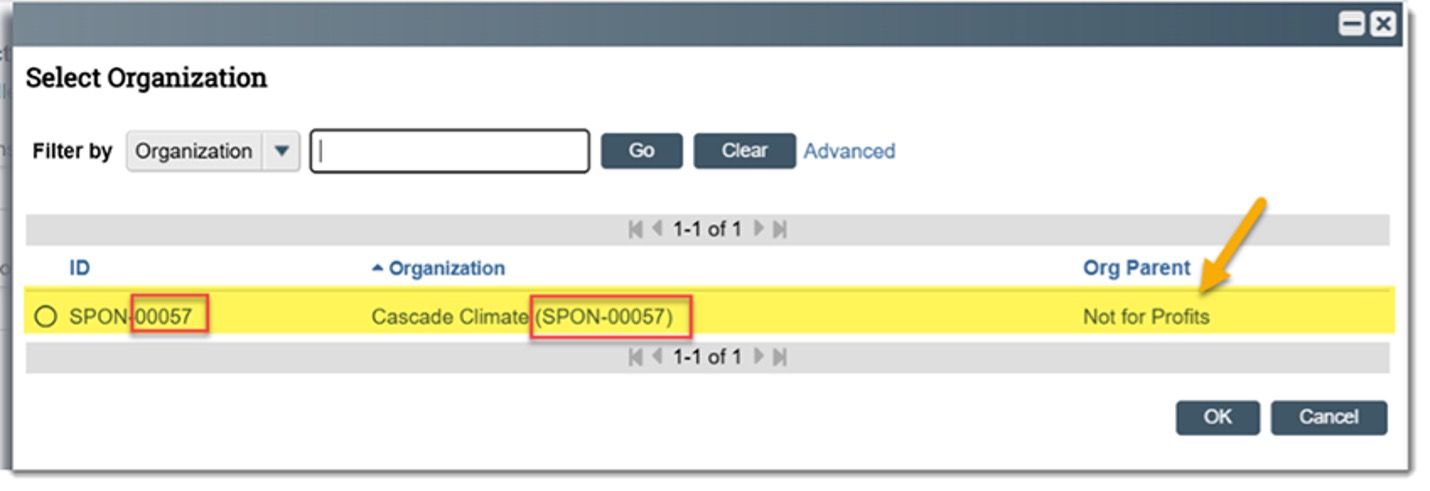
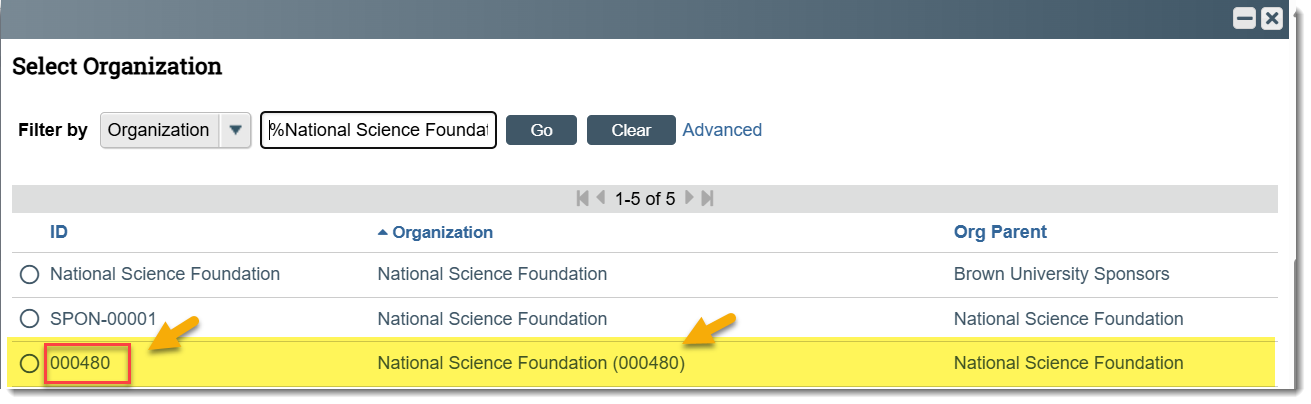
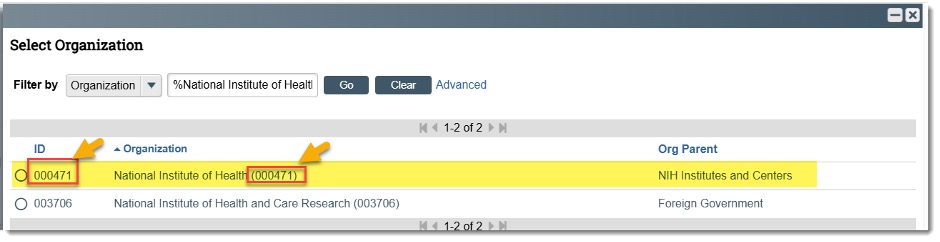
Note: Sponsors converted from Coeus, such as the National Science Foundation and the National Institute of Health, will have the sponsor number (XXXXXX) only in the ID and sponsor number (XXXXXX) after the Organization name (see below for an example).
The following are examples of converted sponsors from Coeus (National Science Foundation and the National Institute of Health). The highlighted line items represent the correct sponsor that should be chosen.
Further job aids and Huron resources are available to the research community on the Huron training page of the Division of Research website.